Kaffa

Works offline, syncs your branches by itself

A complete accounting system: sales, stock and invoices in one app

Kaffa is for shops, distributors and multi-branch businesses. Record sales and purchases, track stock and customer debts, and get the numbers from every branch and sales rep as they happen, even offline.

Free up to 300 operations a month · no sign-up · Arabic and English

Built for

Made for Egypt first, and a good fit in Saudi Arabia, Yemen and the Gulf too: several currencies with clear exchange rates, and VAT at the rate you set for your business.

Get started in three steps

  1. 1

    Install and start, no sign-up

    Type your business name, pick your country, then add your items and customers or import them from Excel.

  2. 2

    Sell and record from your phone

    Issue an invoice or a fast sale by barcode, and record purchases and vouchers. Everything saves on your device, even offline.

  3. 3

    Add branches and staff when you need them

    With a subscription, every device and branch shares the same numbers, and each staff member has their own permissions.

Everything your shop needs, nothing it doesn't

Clear screens, big buttons, and every feature where you expect it.

Sales and POS

Fast barcode sales, cash and credit invoices

  • ✓ Scan or pick an item, then save the invoice as cash, credit, or part of each.
  • ✓ Save an unfinished invoice as a draft and finish it later.
  • ✓ Turn a quote into an invoice in one tap; a return links to the original invoice instead of editing it.
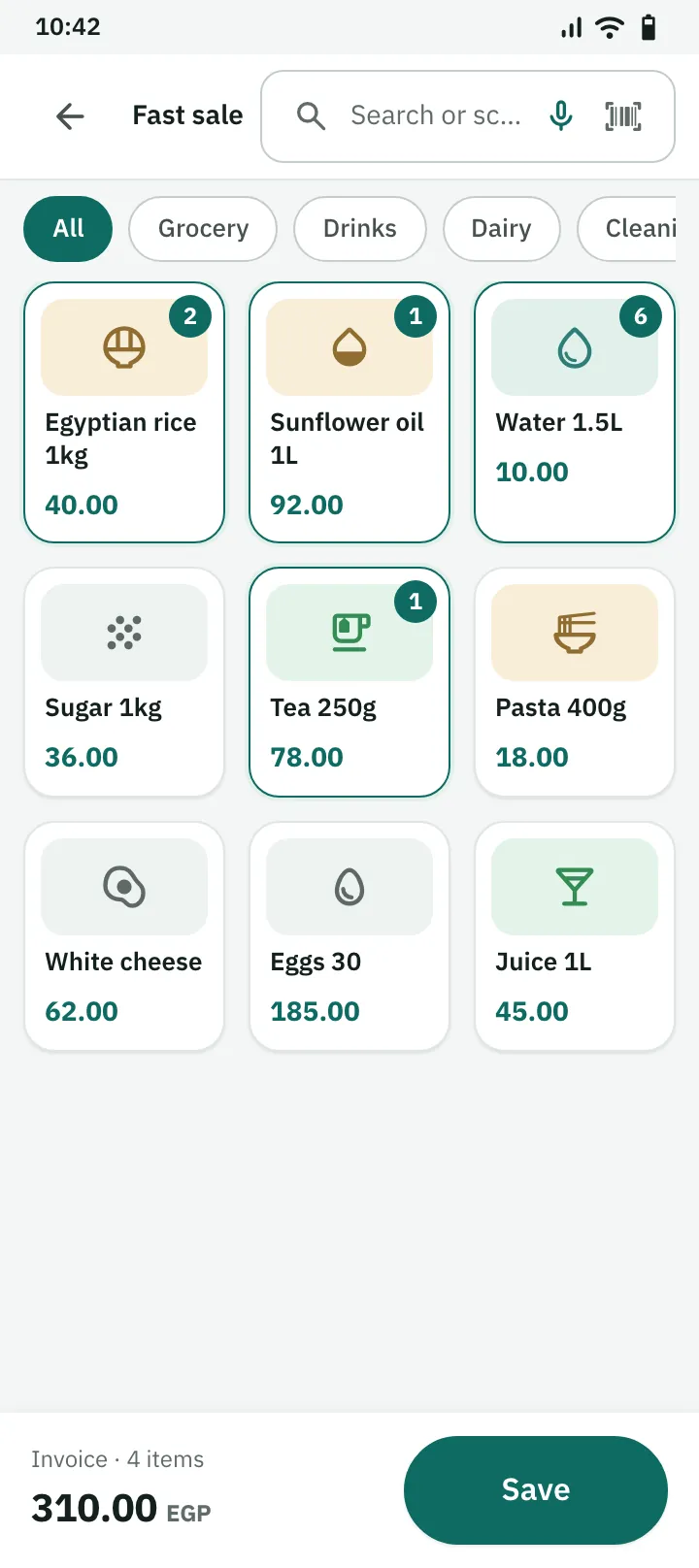
Fast sale on a phone: item tiles, the invoice total and the save button

Inventory

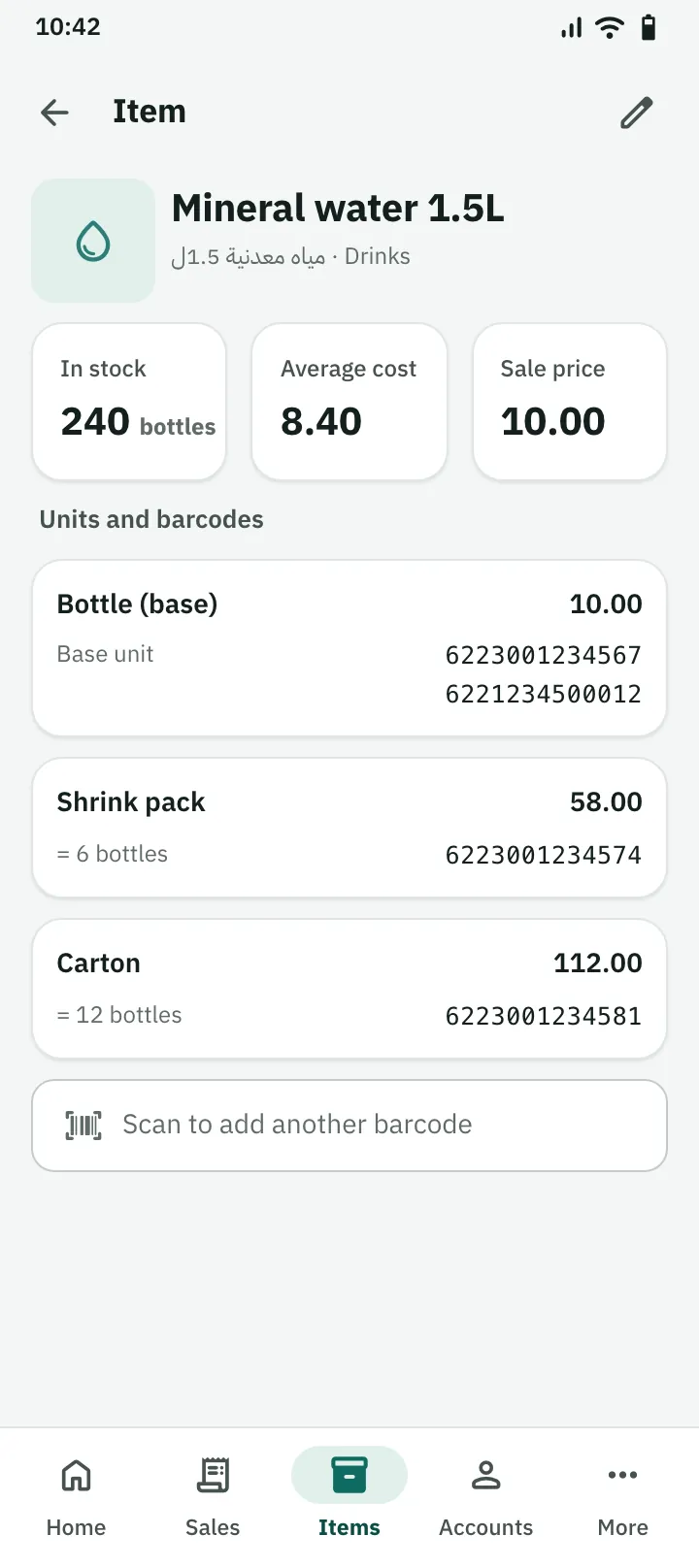
Several barcodes per item, a price per unit

  • ✓ Sell the bottle, the shrink pack or the carton, each with its own barcode and price.
  • ✓ Add a second barcode to the same unit when a supplier's barcode differs.
  • ✓ Track stock per warehouse, transfer between warehouses, and settle differences with a stocktake.
Mineral water item with three units, four barcodes and 240 bottles in stock

Customers, suppliers and debts

Know who owes what, at any moment

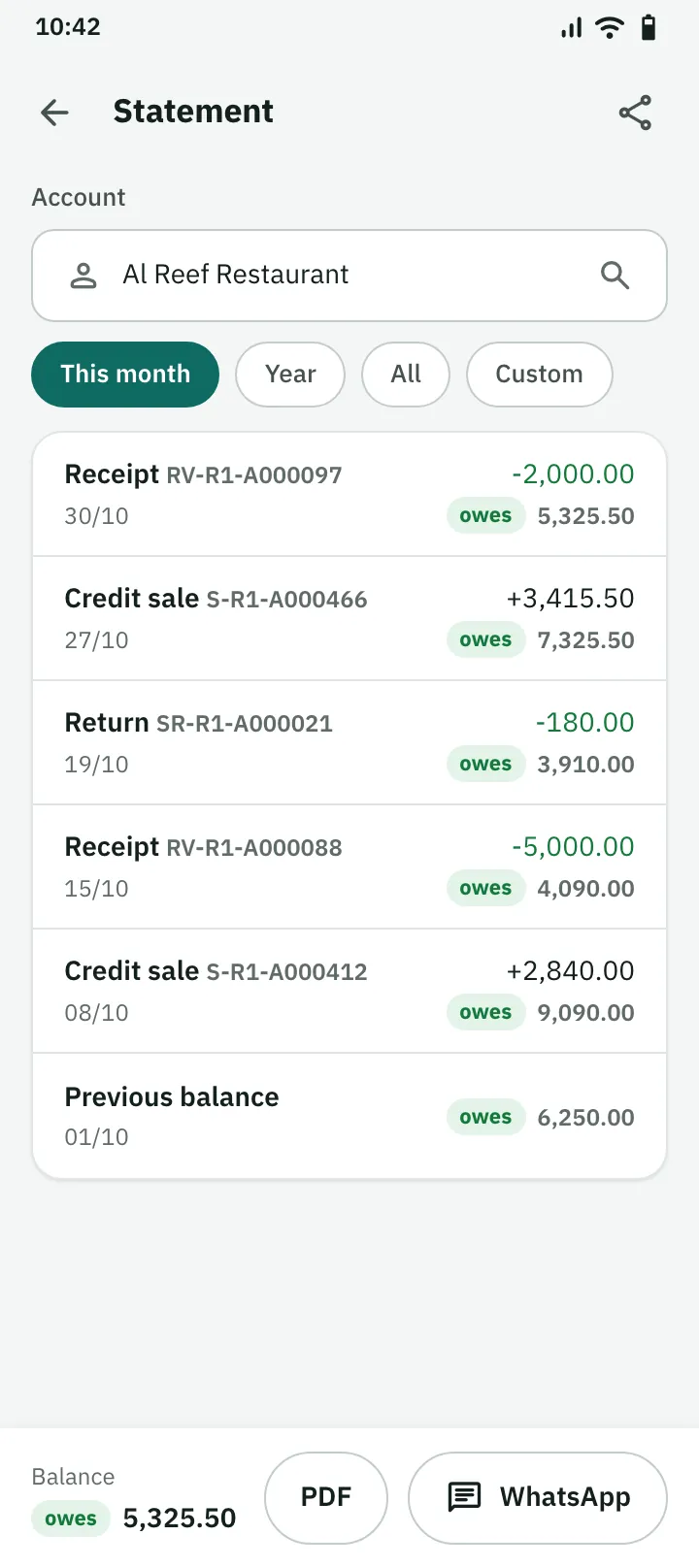
  • ✓ An account statement with debit, credit and the balance after every entry.
  • ✓ Record receipts and payments, and set a credit limit that warns you.
  • ✓ Send the statement to the customer on WhatsApp, or export it to PDF or Excel.
A customer statement on a phone: movements, the balance after each one, PDF and WhatsApp

Branches and sync

Every branch and rep on the same numbers, even offline

  • ✓ Each branch's and rep's sales reach the other devices as soon as they are saved.
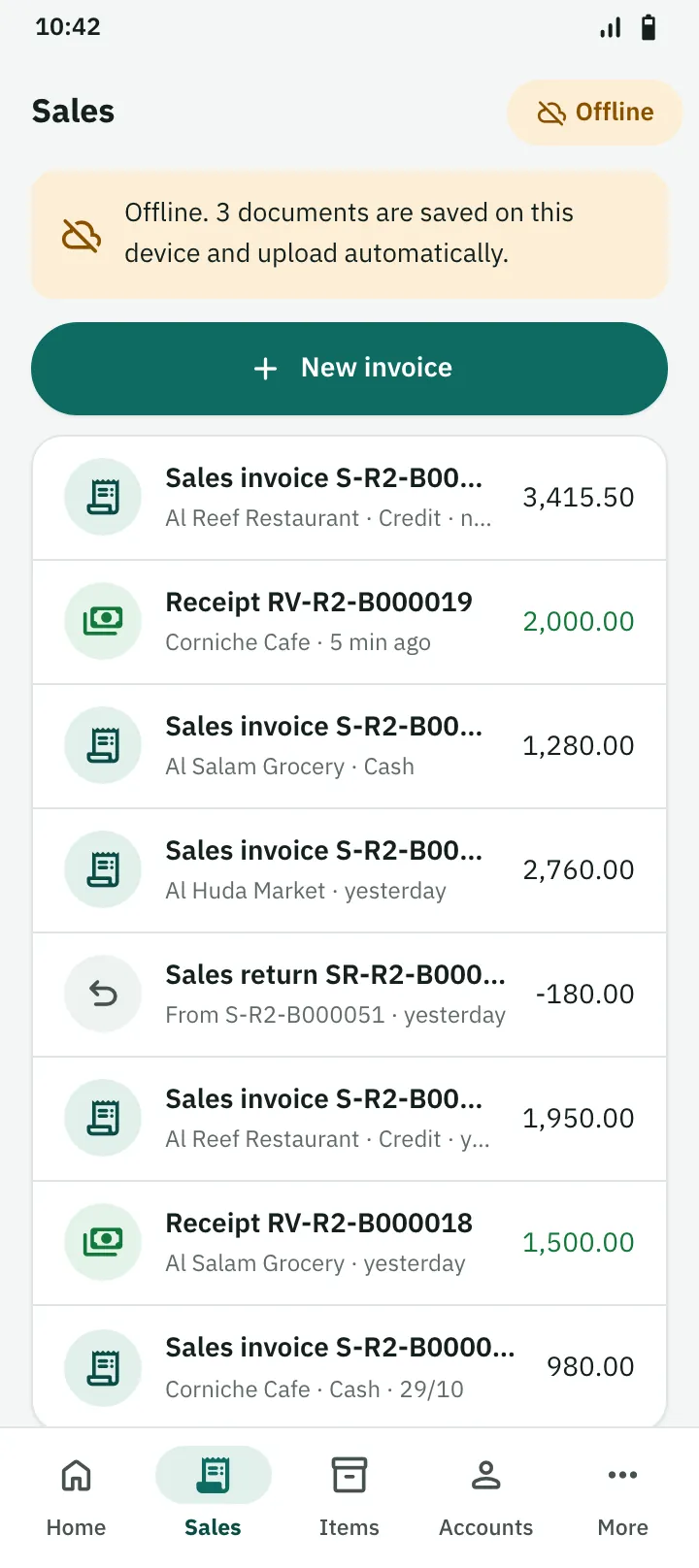
  • ✓ If the network drops, selling goes on, and saved work uploads by itself when the connection is back.
  • ✓ Each staff member has their own permissions; a rep sees only their own documents unless you allow more.
Sales list on a rep's phone offline: documents saved on the device, uploading automatically

VAT and invoices

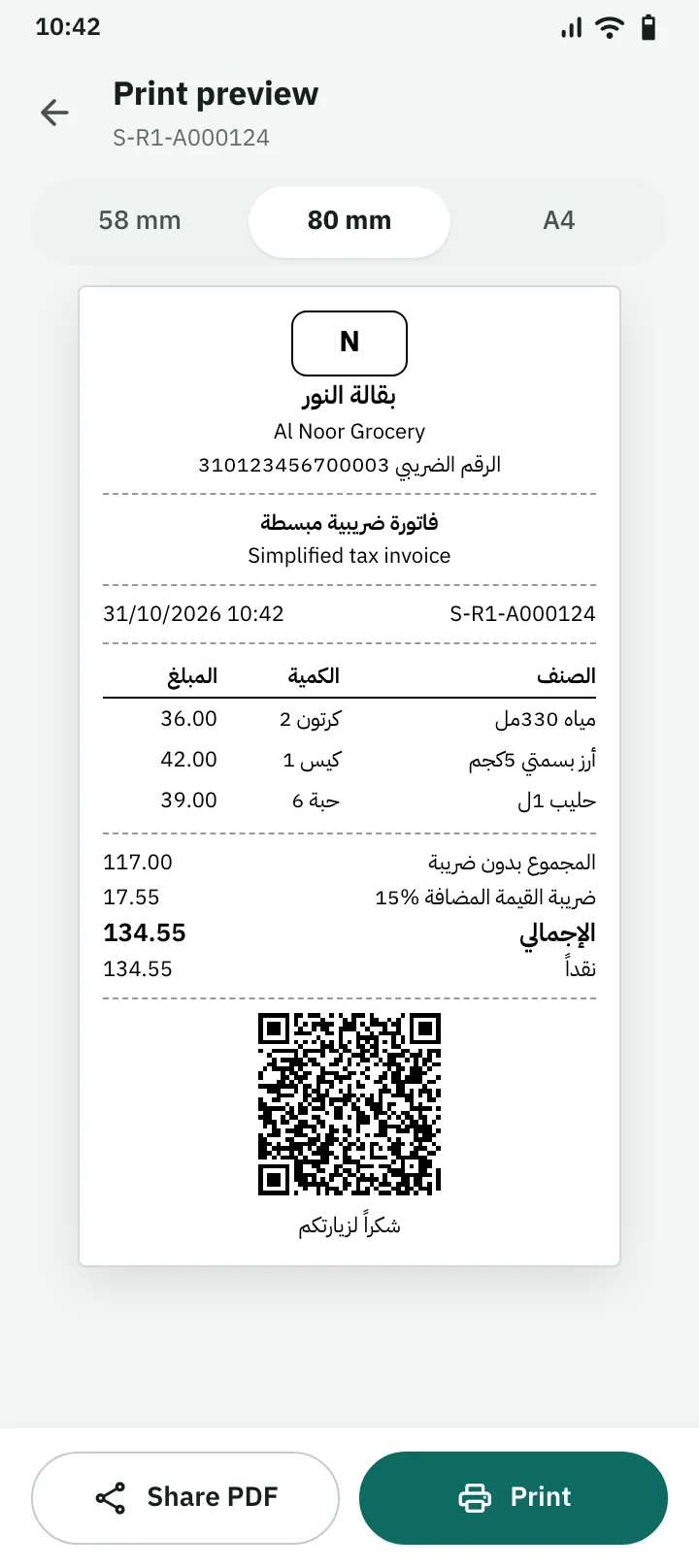
Simplified tax invoices with a phase 1 QR code

Kaffa works out VAT for you: 14% in Egypt and 15% in Saudi Arabia. It issues the simplified tax invoice with a QR code that meets the phase 1 requirements, and a linked credit note for returns. Print on a 58 or 80 mm thermal printer, or on A4.

Phase 2 (integration with the ZATCA platform) is not supported yet, and neither is Egypt's e-invoicing system.

Try the free QR code generator →
80 mm invoice print preview on a phone, with the phase 1 QR code

Reports and export

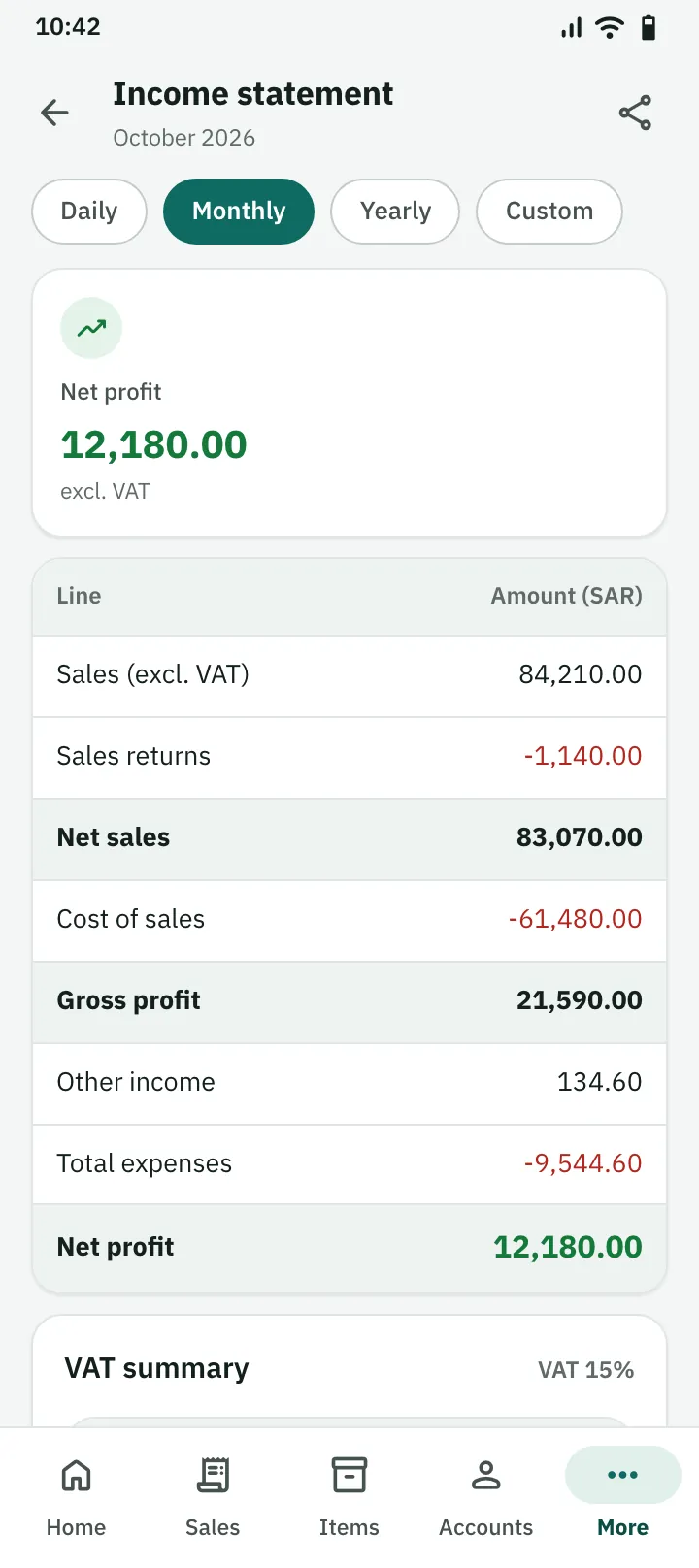
Reports you understand, profit without VAT

  • ✓ Income statement, stock, cash, capital and invoice summary.
  • ✓ A ready VAT summary: VAT on sales minus VAT on purchases.
  • ✓ Per branch or all branches together, with PDF and Excel export.
October income statement on a phone: net profit excluding VAT

Web app

Check your business from any computer

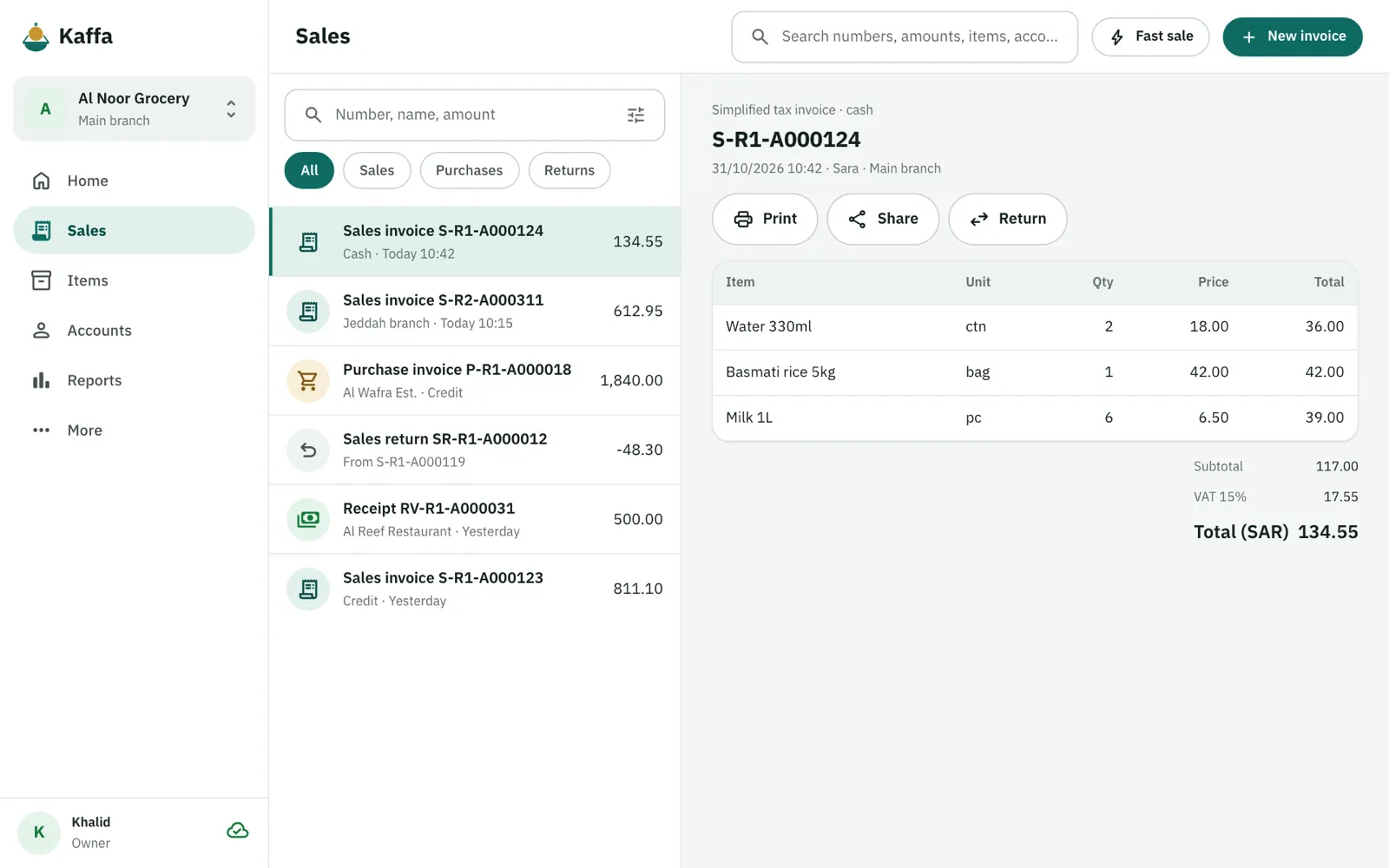
For subscribers: see your accounts and reports and record sales from any browser at app.getkaffa.com. The web app needs an internet connection; the phone app works without one.

Kaffa web app in a browser: invoice list and invoice details

Arabic and English

Arabic first, with English as a full second language

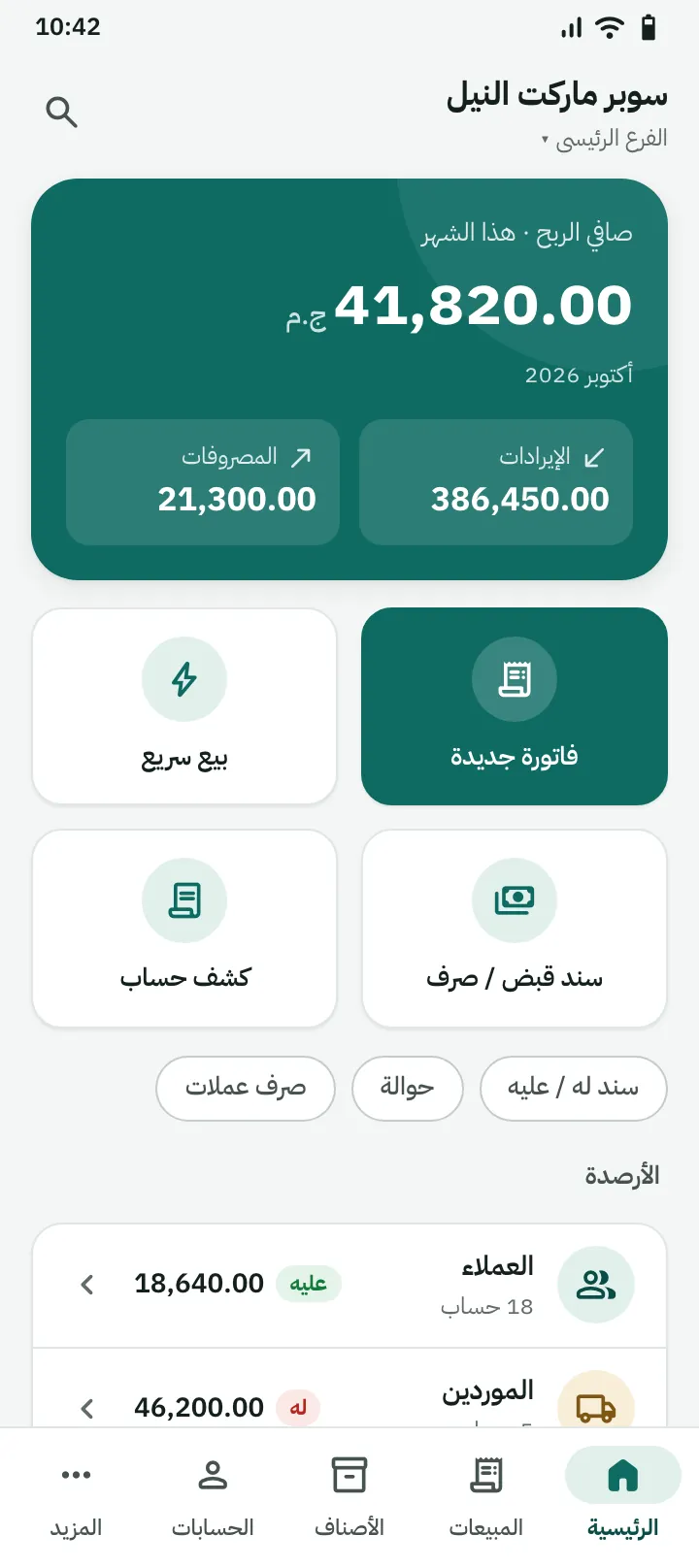
Switch the app language any time, and print a bilingual invoice in one tap, with clear Latin digits (123) on paper.

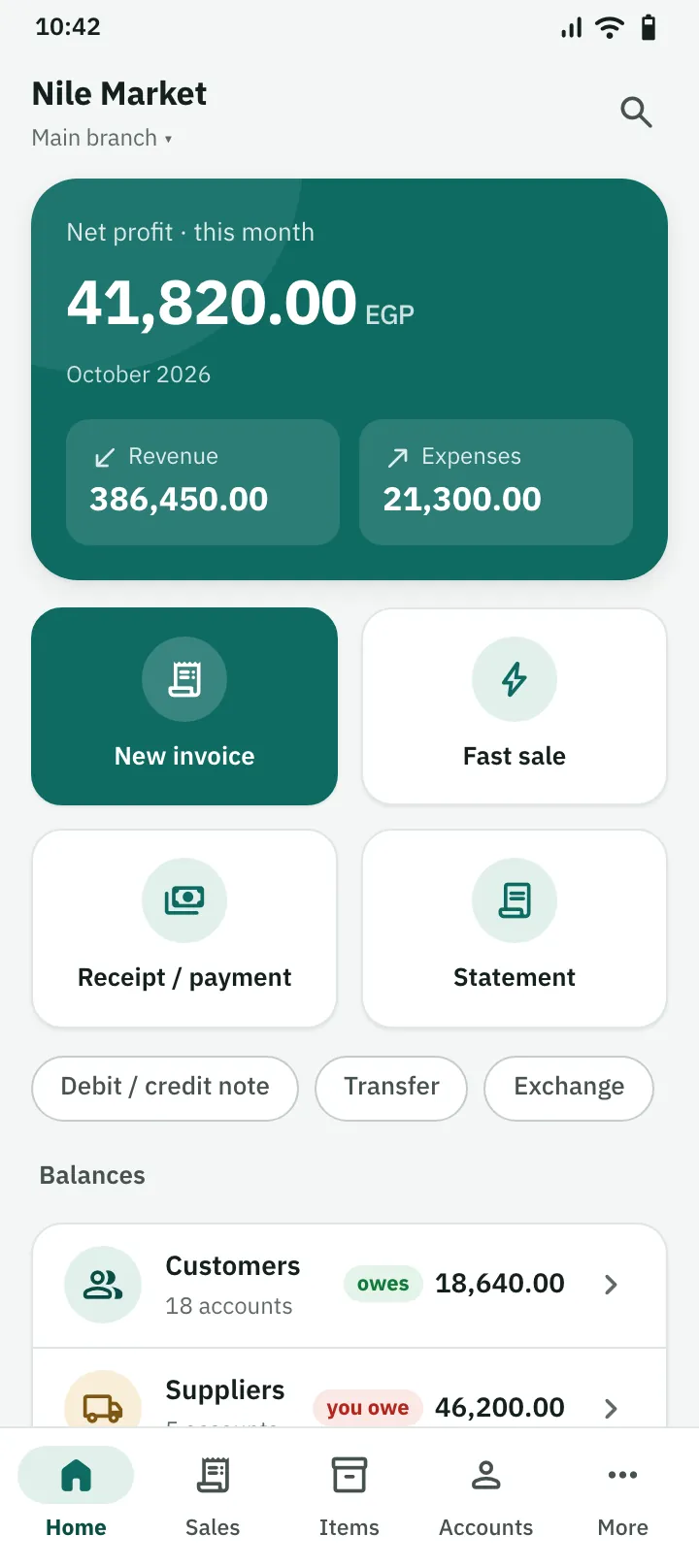
Home screen in English
Home screen in Arabic
Also: receipts and payments, expenses, cash boxes and banks, multiple currencies with clear rates, money transfers and exchange, journal entries, orders, and sharing invoices and statements on WhatsApp.

Images are app design renders with demo data.

Your work is safe, and your data is yours

Selling never stops

Everything saves on your device first, so a dropped network never stops a sale.

Your data stays with you

Back up to a file or export to Excel any time; with a subscription, a cloud copy comes back when you sign in.

Exact numbers

A saved invoice is never edited silently; corrections go through a return or a credit note, so everything stays traceable.

Honest about tax

We say what the app actually supports, and we claim no endorsement from any government body.

Start free, subscribe when your business grows

One subscription for your whole business, however many branches and users.

Pricing details →

Free

0

  • ✓ 300 operations, renewed each month
  • ✓ Works offline, no sign-up
  • ✓ One device
First month free

Subscription

$45.99 a year

or $5.99 a month, or the same in your currency. Prices include VAT where applicable.

  • ✓ Unlimited operations, no ads
  • ✓ Unlimited branches, users and sales reps, with live sync
  • ✓ Cloud backup and the web app

Free tools in your browser

No sign-up, and your data is never sent to our servers.

All tools →

Frequently asked questions

Does Kaffa work offline?

Yes. Invoices, stock and vouchers save on your device without internet and sync to your other devices and branches when you are back online. A sale never waits for the network.

Is Kaffa free?

The free plan gives you 300 operations a month, on one device, no sign-up needed. For sync, branches, staff and unlimited operations, subscribe monthly or yearly. The first month of the subscription is free, no card needed.

What counts as an operation?

Any saved document that moves money or stock: an invoice, return, voucher, expense, transfer or stocktake adjustment. Edits don't count, and quotes and orders don't count.

Does it issue Saudi VAT invoices?

It issues a simplified tax invoice with 15% VAT and a QR code holding the five fields required in phase 1 (generation). Phase 2 (integration) is not supported yet, and Kaffa is not affiliated with ZATCA.

Does it work for branches and sales reps?

Yes. One subscription per business covers unlimited branches and users, each with their own permissions. A sales rep sees only their own documents unless you allow more.

Can I use it on a computer?

Yes, for subscribers: sign in to the web app at app.getkaffa.com from any browser (online). Subscribe in the Android app, then sign in on the web.

Is it in Arabic and English?

Yes. The app and invoices work in Arabic and English, and you can print a bilingual invoice.

Where is my data stored?

Always on your device. With a subscription, a synced copy is kept in the cloud and comes back when you sign in. You can also back up to a file or export to Excel at any time.

Start free today

300 free operations a month, no sign-up, and it works offline. Subscribe when you need branches and sync.

Get it on Android